
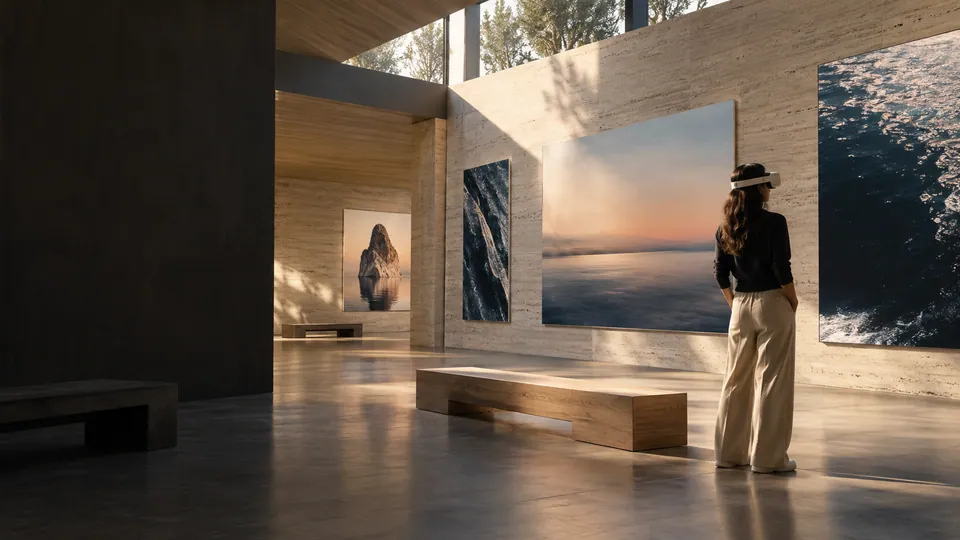
Exhibitions and collections
Your next exhibition.
Your own space.
Try a selection of work, change its scale and find the rhythm of the journey before deciding what stays.
MIXED REALITY EXPERIENCES
Some ideas need more than a screen. Give them a place in the real world with XRAG.
AI-generated concept image.
SPACE IS YOUR CANVAS
A wall-sized photograph. An archive brought back into the present. An idea you can walk through. XRAG connects your digital content with the space around you.
BEYOND THE GALLERY
Three ways to rethink the same space. The content and the story are yours.
Exhibitions and collections
Try a selection of work, change its scale and find the rhythm of the journey before deciding what stays.
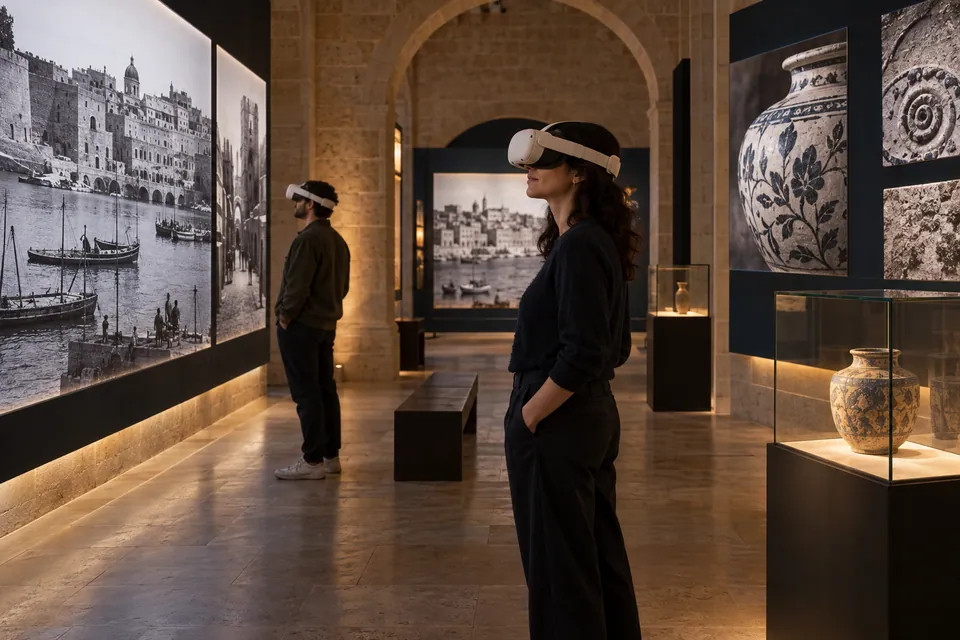
Museums and heritage
Place archive photographs, details and context alongside the objects or places that tell their story.

Presentations and projects
Bring references, plans and project images into the room. Present a proposal people can explore and compare.
AI-generated concept scenes illustrate possible uses of XRAG. They are not product screenshots or client installations.
ONE IDEA. THREE MOMENTS.
Organize on a screen. Compose within the space. Share the journey.
FROM LIBRARY TO SPACE01 — 03
A diagram of the XRAG workflow. Select a step to explore it.
Gather and organize your resources in a web library. Prepare the images that will shape the experience.
Your library, in your browser.
In the headset, place images on the virtual walls of your environment. Adjust the vWalls, compose the journey and publish an edition.
Design within the space, at its scale.
Share its QR or room code. The gallery downloads to the headset and stays available to explore again.
An experience you can keep with you.
ONE MEDIUM. MANY STORIES.
Think about what your images can explain when they no longer have to fit on a slide.
Connect images, compare eras and turn a room into a learning journey.
Bring together plans, materials and visual references to discuss a project.
Build a visual presentation for a collection, a concept or a launch.
Give scale and context to the photographs that tell a community’s story.
DOWNLOAD. EXPLORE. RETURN.
A downloaded gallery doesn’t disappear when you disconnect. Open it again on the same headset, without scanning the QR again.
Connect to publish or download a gallery for the first time. Your downloaded gallery stays available on that headset, even without Wi-Fi.
Connect to publish or download a gallery for the first time.
Your downloaded gallery stays available on that headset, even without Wi-Fi.
BEFORE YOU STEP INSIDE
What you need to know to start imagining your next experience.
A browser to organize your library and a Meta Quest configured with XRAG. In the headset, Curator lets you compose a gallery and Viewer lets you explore it.
Public registration is currently closed. Existing accounts can sign in to the platform. If you would like to explore XRAG for a project, you can contact us.
The web library supports images, videos and 3D models. The current gallery experience on Quest focuses on images.
Publish an edition from Curator and share its QR or room code. Viewer uses that access to open the gallery. To explore it in the intended space, the headset needs that environment configured.
Web management, publishing and the first download need a connection. Galleries you have already downloaded can be reopened without Wi-Fi on the same headset.
NOW IMAGINE YOUR SPACE
A collection, a story, an idea. Give it another dimension.
Access for existing accounts. Public registration is closed.